
Urdu social media scheduler
Your posts in Urdu,on time, on every channel.
Write the Urdu and English versions side by side, see how each platform will show them, and plan the whole week on one calendar. The app itself also works in Urdu.
Urdu and English in one go
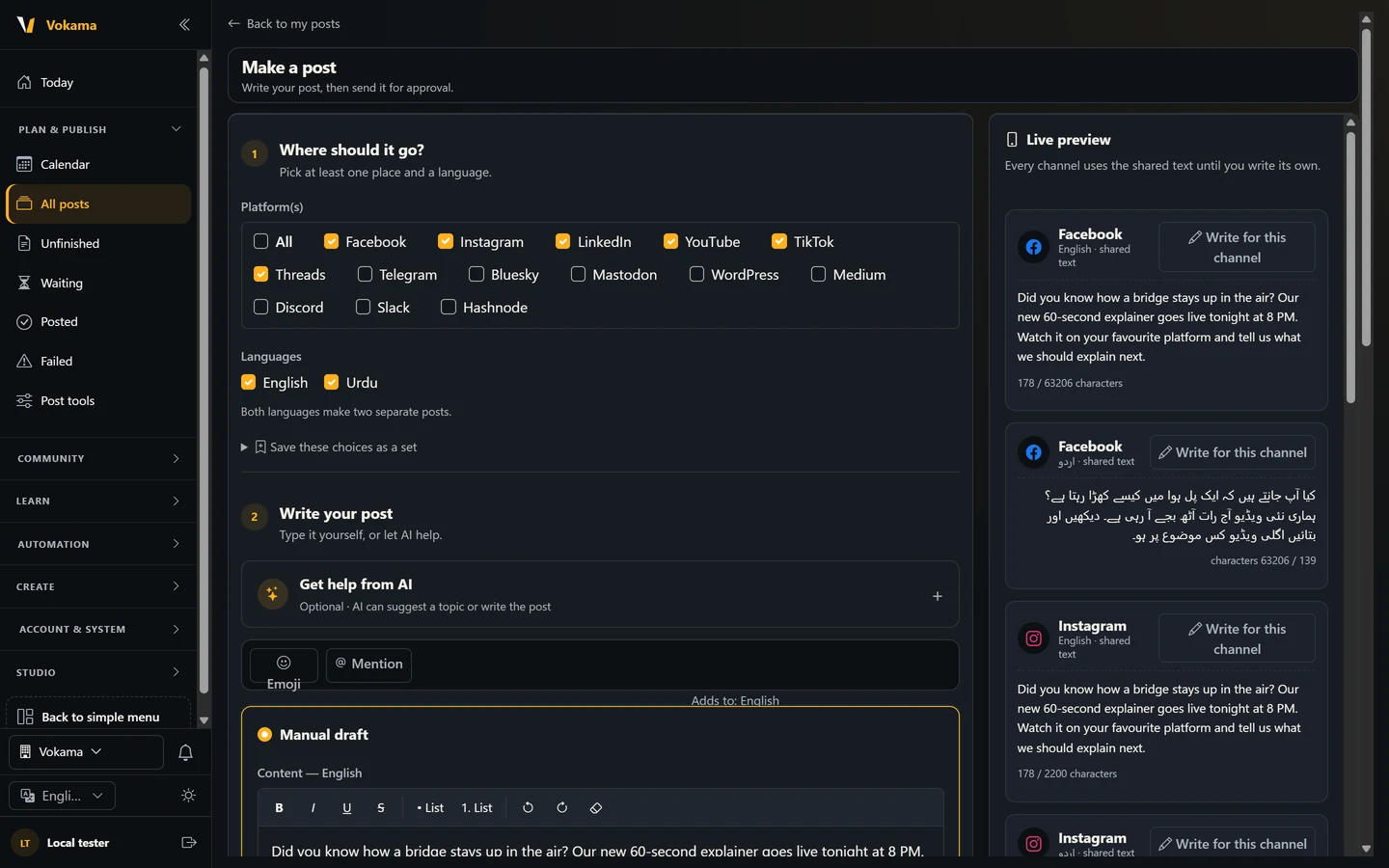
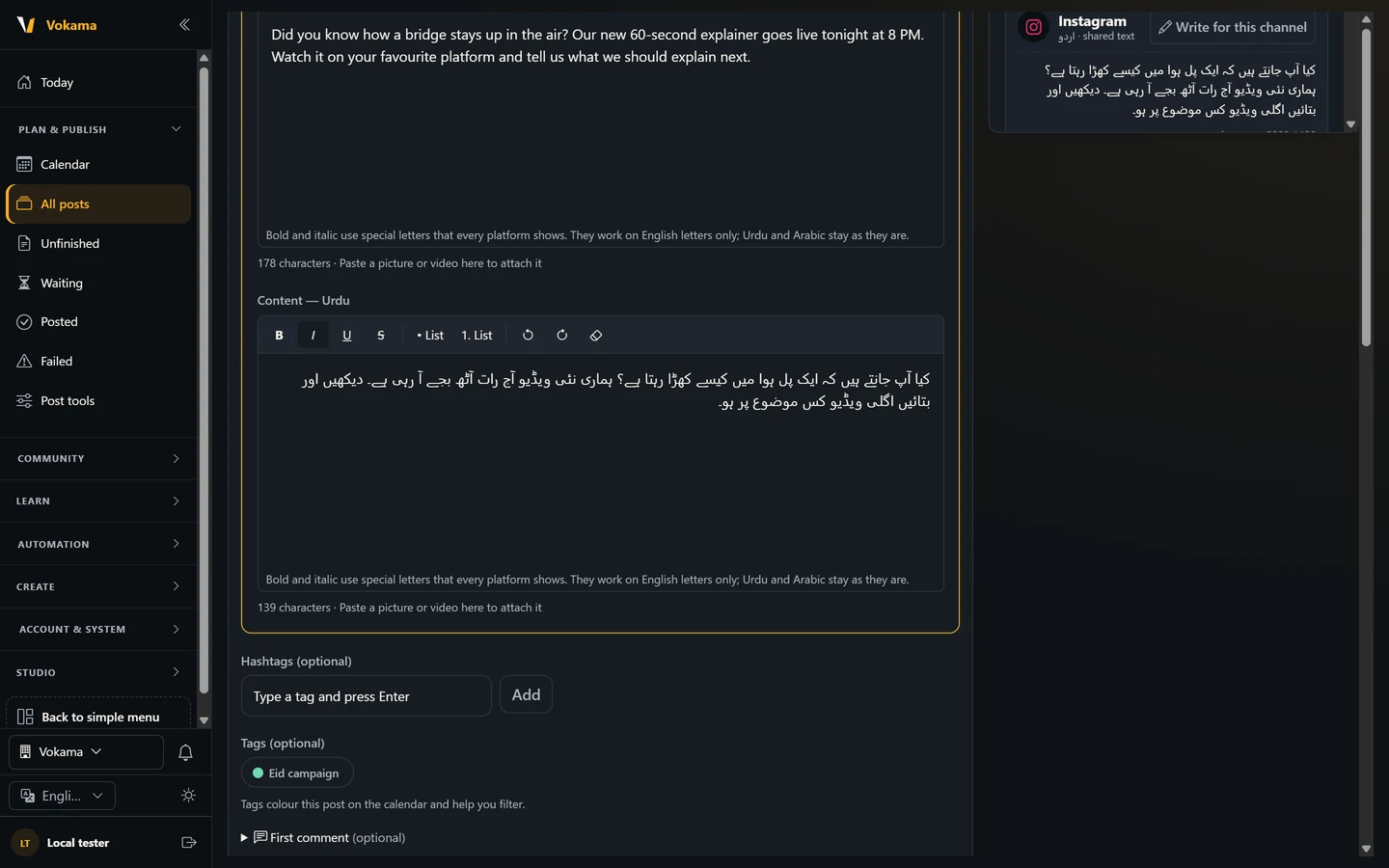
Under Languages, tick English and Urdu. Vokama makes two separate posts, each with its own text, so one language is never a rough copy of the other. Urdu is written and previewed right to left.
- Two separate posts, one per language
- Right-to-left Urdu editor and preview
- A character count for every platform
The right text for each platform
Every channel uses the shared text until you write its own. Shorten a post for X, add a first comment, or write a different Urdu line just for Instagram. The preview warns you before a platform would cut your words.
- Write for one channel, or keep the shared text
- Hashtags, colour tags and a first comment
- A warning before any words are lost
Plan the week on a calendar
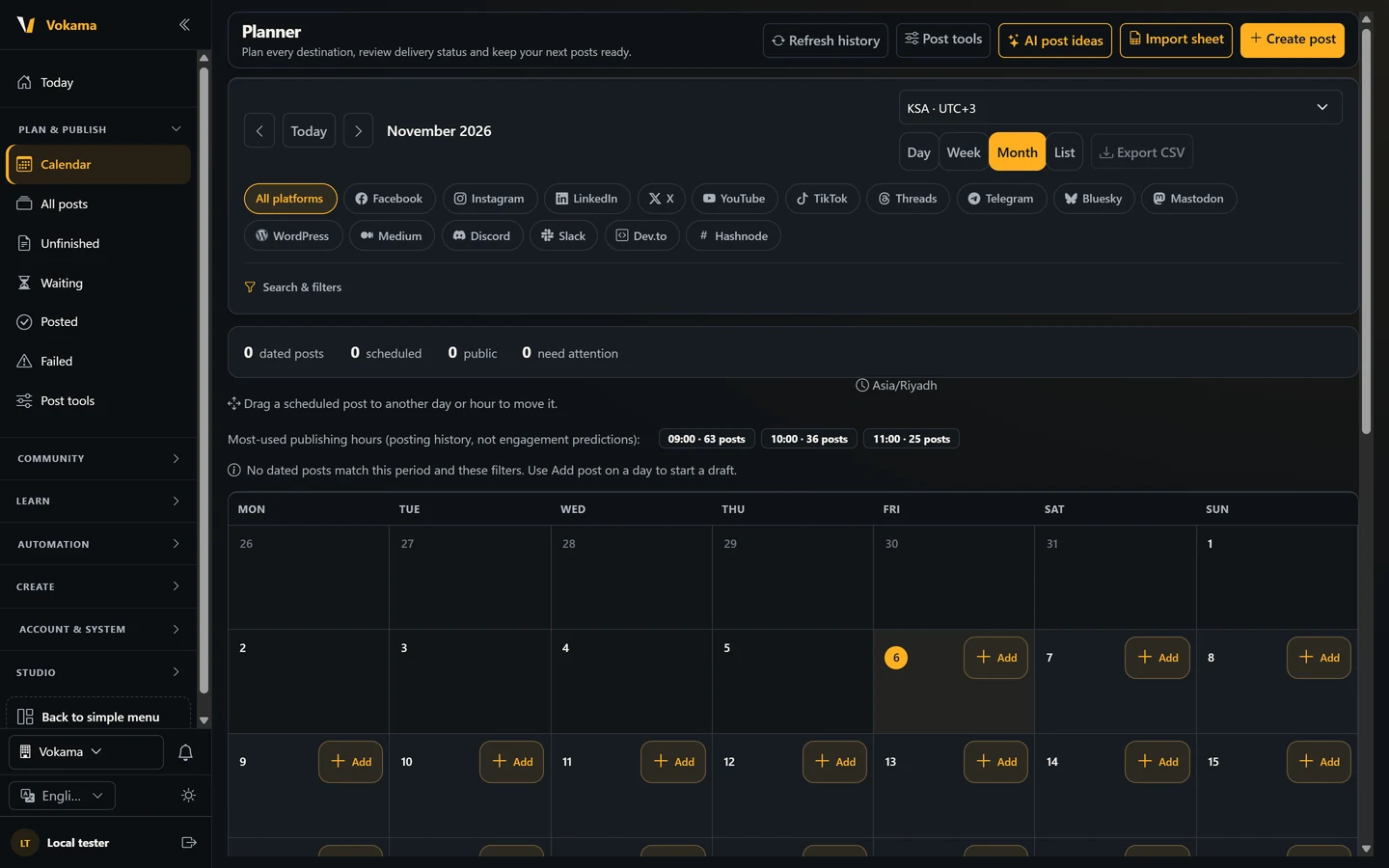
See your posts by day, week, month or as a list. Choose the time zone you work in, drag a post to another day or hour, and filter by platform or tag. The day view shows the hours you post most often.
- Day, week, month and list views
- Drag a post to move it, with Undo
- KSA, Pakistan, UTC or your own time zone
Start every post ready
Save the platforms, languages, hashtags, signature and tags you use for a client as a set, so a new post starts with them already filled in. A signature can be added to every new post automatically.
- Sets for each client or campaign
- An automatic signature
- Repeat a post daily, weekly or monthly
Questions about scheduling in Urdu
Can I write the post in Urdu script?
Yes. The Urdu text box and the preview flow right to left, and each platform shows how many characters you have left.
Does Vokama translate my post into Urdu?
It does not translate automatically. You write each language yourself, or ask the optional AI helper to draft it in Urdu or English and then edit the draft.
Is a scheduled post published straight away?
No. A new post waits for approval. An owner or admin approves it and sets the time, and only then does it go out.
Can I use the whole app in Urdu?
Yes. Switch the language button to Urdu and the menus, pages and buttons change to Urdu, right to left. The app also works in English and Arabic.
Plan your next week in Urdu
Connect your channels, write in Urdu and English, and keep the whole week on one calendar.
Start free