
For teams and agencies
Nothing goes livewithout an OK.
Editors write and schedule. Owners approve. Clients can comment on the text through a private link, without making an account.
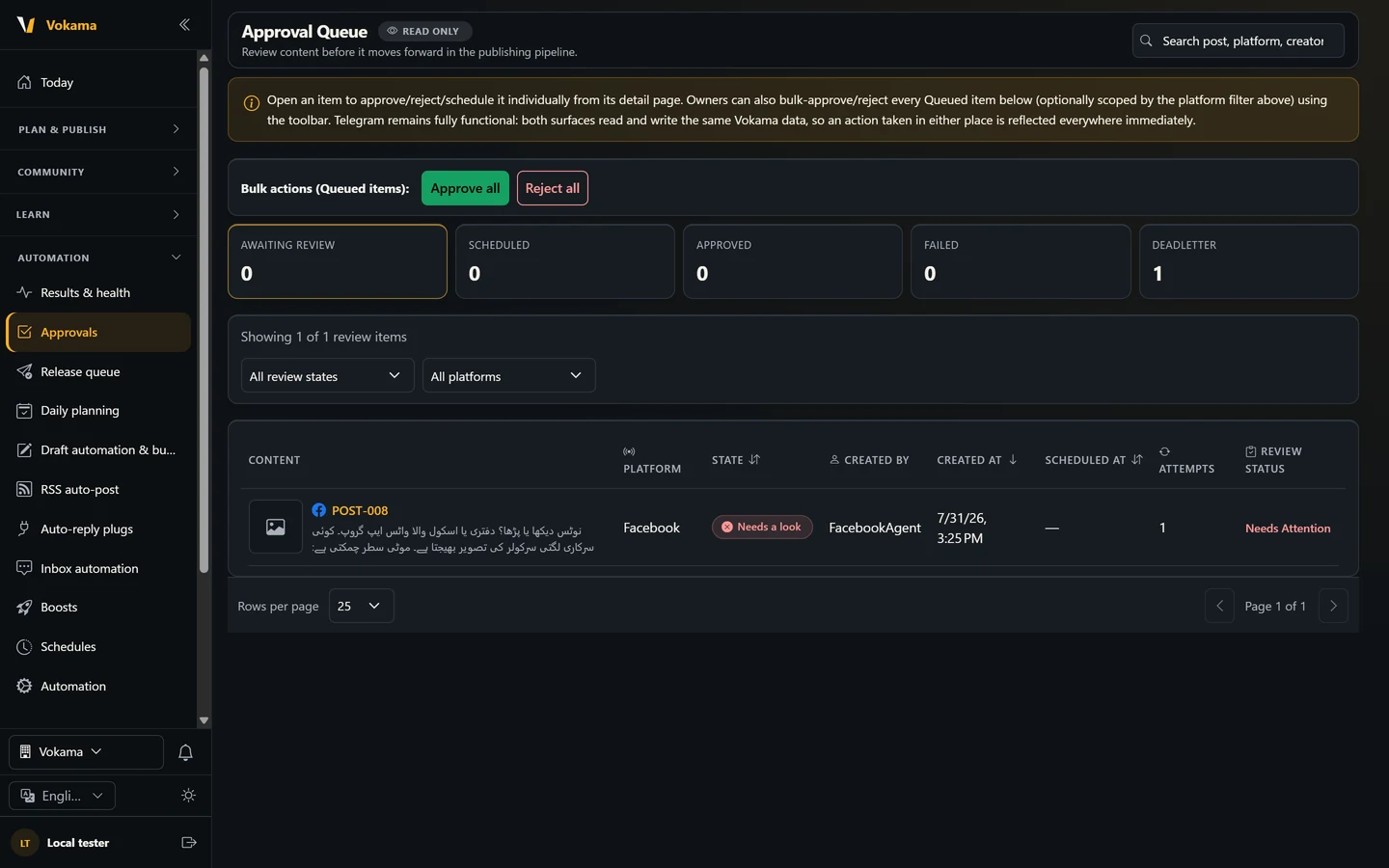
One approval queue
Every post waits in the queue with a clear status. Open an item to approve, reject or schedule it, or let an owner approve or reject everything queued at once, for all platforms or just one.
- Approve or reject one by one
- Bulk approve or reject, filtered by platform
- A clear status for every post
Owners and editors
Give each person their own login. Owners approve and publish; editors prepare posts. A new user gets a welcome email and sets their own password at first sign-in.
- Owner and Editor roles
- Email change confirmed with a one-time code
- Turn a user off at any time
Client feedback without an account
Make a private review link for one version of a post's text and send it to your client. They can approve the text or ask for changes. The link expires, you can revoke it, and the final approval always stays with the owner.
- The link expires after the days you choose
- Revoke a link at any time
- Feedback is kept with the post
Show clients the results
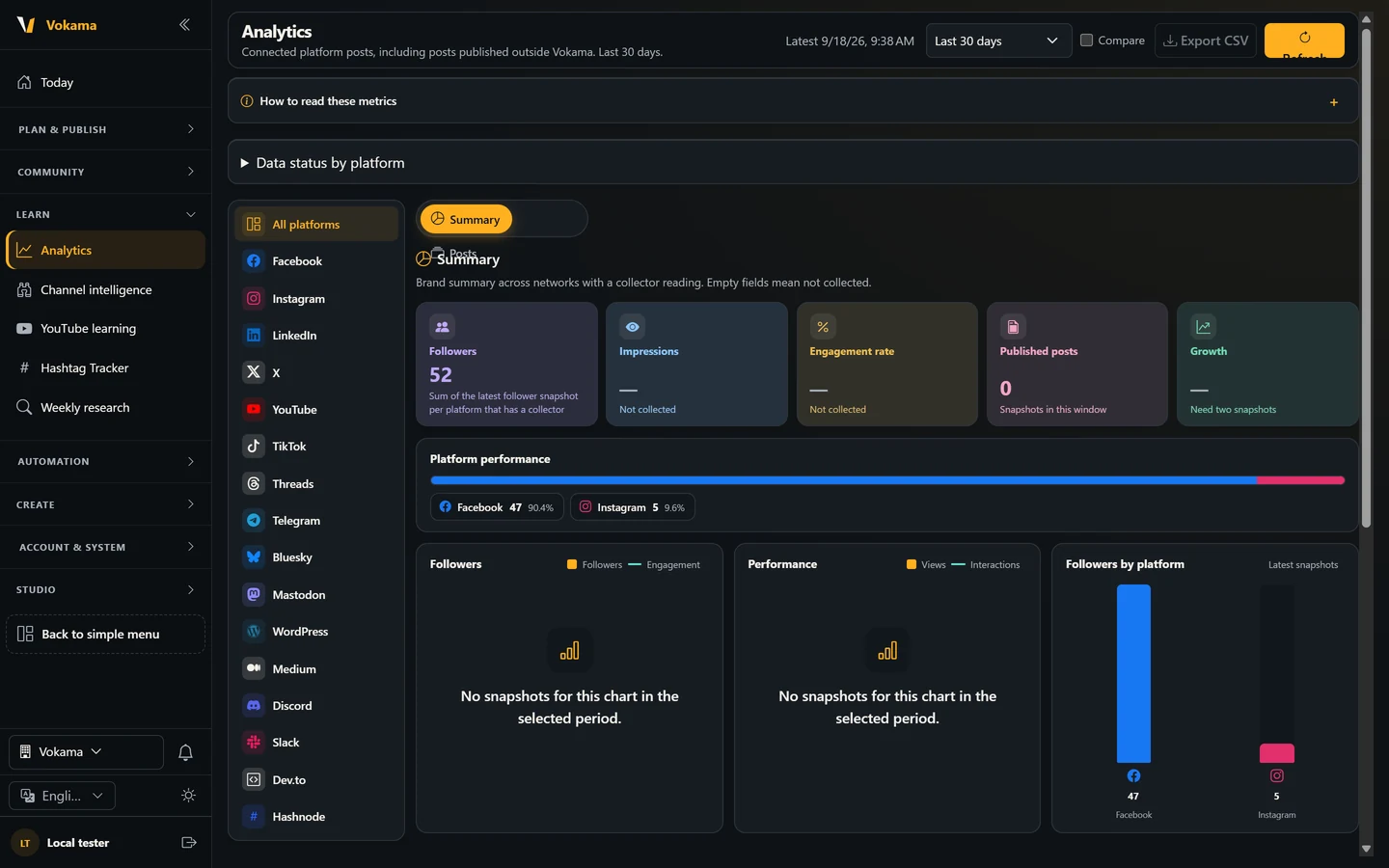
Followers, impressions, engagement and published posts for each platform in one report. Compare two periods, and for YouTube collect watch time and retention and export a client report.
- All platforms in one report
- Compare periods
- YouTube client report as HTML
Questions about approvals
Can a client approve a post?
A client can approve the text or ask for changes through a review link. The final approval and publishing stay with the owner.
Can I approve many posts at once?
Yes. An owner can approve or reject every queued item at once, or only the items for one platform.
Does my client need a Vokama account?
No. A review link opens one version of the text without a login. It expires, and you can revoke it at any time.
Bring your team into one queue
Add your editors, connect your channels and let nothing go live until it has an OK.
Start free